7 Features Every Good Roof Configurator Should Have
Configure a car in five minutes. Design a kitchen in ten with a 3D preview. Customers expect speed, transparency, and freedom to experiment. In construction, this level of digital support arrived much later —but that is changing fast. Digital configurators, already used in areas like industrial hall design, are now transforming how roofs are designed, calculated, and visualized. But not all tools deliver real value — how do you spot the difference?
Here are seven key features that define a truly useful 3D roof configurator — and the questions you should be asking before choosing one.
1. Flexible Roof Input Methods
Roofs range from simple gable shapes to complex multi-plane structures. A good configurator should offer predefined roof templates, but also allow manual definition of roof planes. For renovations, it should support input based on aerial or satellite data.
Ask:
- Can roof planes be entered manually?
- Does the tool support aerial measurements for existing buildings?
2. Automatic Tile Layout
Designing a roof is not just about geometry — it is about how roofing elements are laid out. Incorrect roof calculations can lead to 10–15% material waste.
A quality tool automatically generates a realistic layout that respects product dimensions and minimizes leftovers, especially with large-format tiles.
Ask:
- Can the configurator optimize leftovers for large-format tiles?
- Does it generate a layout plan usable directly on site?
3. Complete Bill of Materials
A roof is more than just tiles. Reliable roof calculation software must include everything: roofing materials, underlayers, flashings, gutters, penetrations, and fasteners.
Incomplete material lists cause delays, confusion, and costly corrections during installation.
Ask:
- Does the configurator calculate all required components — or only the main roofing material?
4. Speed and Performance
Customers will not wait several minutes just to see a color change. Slow tools frustrate both sales teams and end users — and directly impact conversion rates.
Ask:
- Does the tool run smoothly even on weaker devices?
- Can it be easily deployed on a website?
5. Visualization for Customers
Technical drawings do not sell. 3D visualization does.
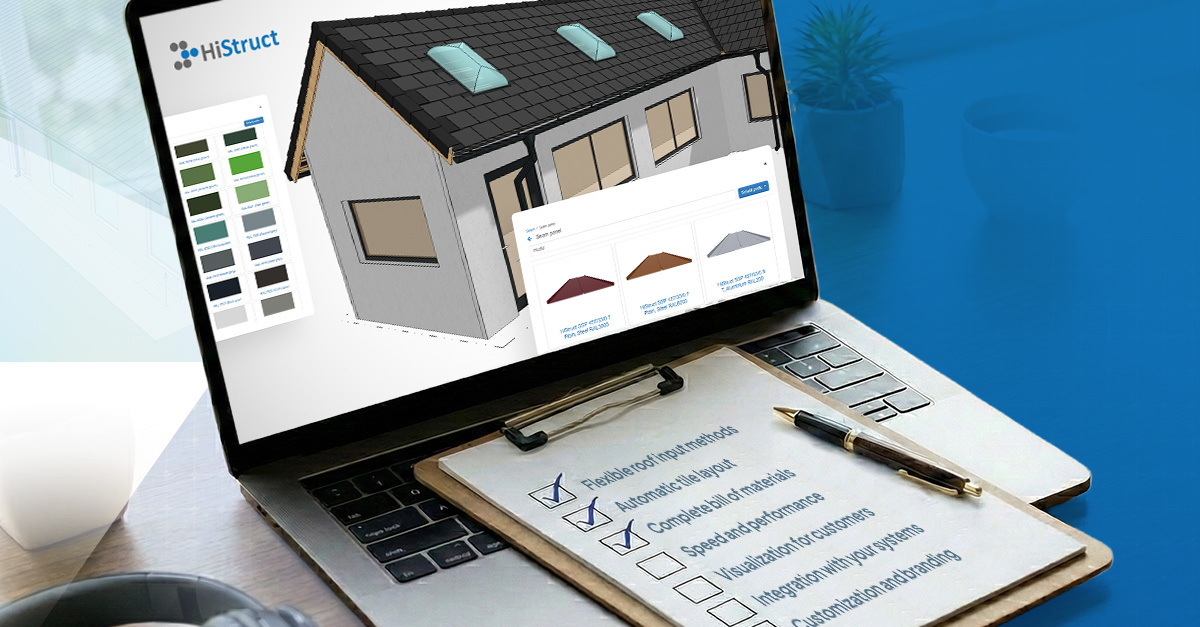
The best tools offer realistic rendering and even augmented reality, allowing customers to see their future roof directly on their house using a tablet or phone.
Ask:
- Is the 3D model realistic?
- Can colors and materials be changed in real time?
6. Integration with Your Systems
A configurator should not be an isolated tool. It needs to communicate with your ERP, CRM, and production systems so that data does not have to be re-entered manually.
Ask:
- Is a REST API available?
- Which export formats are supported?
- Are webhooks available for automation?
- Can it integrate with specific ERP systems you use?
7. Customization and Branding
Your configurator should look like your product — not like a foreign application embedded on your website.
Ask:
- Can you change logos and colors?
- Can you add your own products to the catalogue?
- Can the configurator run directly on your website?
Why Digital Roof Configurators Matter
Digital roof configurators are no longer a luxury in construction — they are a competitive advantage. They help companies respond faster to inquiries, reduce errors in material calculations, and present solutions in a way customers understand.
A well-designed roof configurator connects technical accuracy with an intuitive customer experience. Instead of long email exchanges and static drawings, customers can actively explore roof options, see the result in 3D, and submit a request with clear specifications.
What Would Roof Configuration Look Like on Your Website?
See how a customer-facing roof configurator lets visitors design their roof, visualize it in 3D, and send clear, structured requests instead of vague emails. HiStruct Roofs makes it easy to turn interest into real leads. Try our app to see how it could work for you: